
What Copilka is
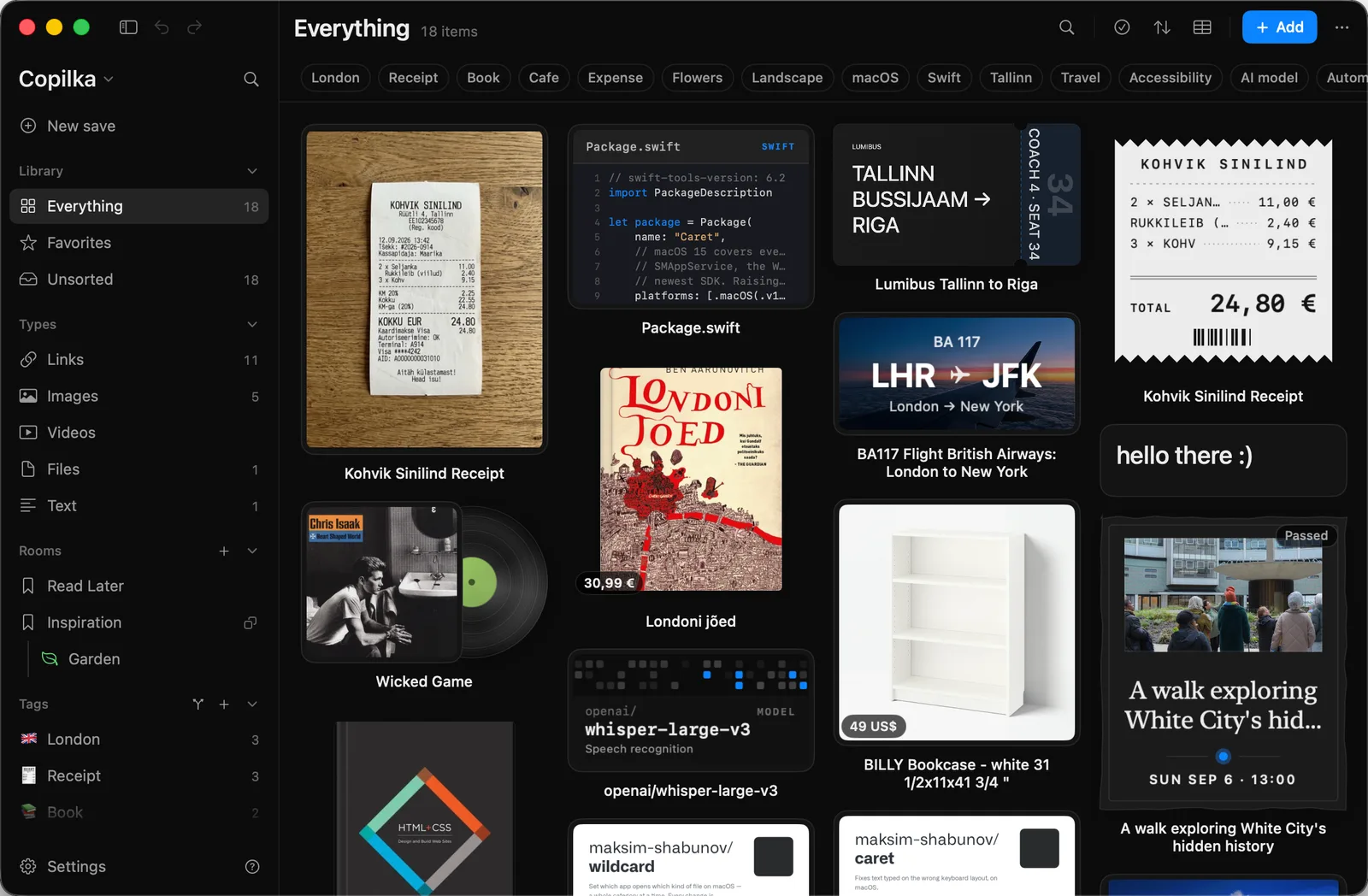
Copilka is an app for the things you want to keep. A link, a receipt, a ticket, a book, a bit of code, a note: you save it, Copilka works out what it is, and you find it again later, on your Mac or on your iPhone.
The pieces
Section titled “The pieces”- The Mac app is the main one. It runs on macOS 14 or later, keeps your library on your Mac as plain files, and does the heavy lifting: reading pages, watching prices, capturing from a hotkey. See Install on your Mac.
- The iPhone app is the same library on the phone, with a camera, a code scanner and a share sheet. See Copilka on iPhone.
- Copilka’s service keeps the two in step when you turn sync on, and does the parts of reading that need a model or a browser in the cloud. Your library on each device works without it. See How sync works and What leaves your device.
- Assistants can be let in. Claude, or anything that speaks MCP, can search your library, save into it and tidy it, with your permission and only as far as you grant. See Connect Claude.
The words
Section titled “The words”An item is one saved thing. It has a kind, which is how it was saved: a link, a text note, an image, a video or a file. Files are referenced where they sit on your disk, never copied.
The reader is what runs after you save a link, a picture or a file. It reads the page or looks at the picture and decides what the thing is: a book, a flight, a product, a person, a receipt, one of some thirty kinds. That gives the item its title, its picture, its summary, its tags and its properties, the facts that belong to that kind. See How a link reads itself.
Rooms are where items live. A room can hold rooms, and each room can carry properties of its own that apply to everything in it, with the reader filling them in. An item that is in no room is in Unsorted. See Rooms and Properties.
Tags cut across rooms. The reader gives every item some; you add your own; tags can nest under tags. See Tags.
Smart views are the sidebar’s fixed lists: Everything, Favorites, Unsorted, and one view per kind. See Smart views.
The details panel is what opens when you click a card: everything the reader found, your note, the properties, and the actions. See The details panel.
Who can use it
Section titled “Who can use it”Copilka is invite only. An invitation is tied to an email address, and signing in with that address is what opens the app; without one, no sign-in code arrives. An invitation carries a plan, and the plan decides what the reader may do: reading a page’s own markup is always there, while the model, the browser, property filling, read-as-you and sync are part of the subscription. See Plans and invites.
Where to go next
Section titled “Where to go next”- Install on your Mac, then Sign in and Your first saves.
- Everything about getting things in: Ways to save.
- The whole settings screen, page by page: Settings.
- Every key: Keyboard shortcuts.