
Tags
Tags cut across rooms. A ticket in Travel and a receipt in Expenses can both carry Tallinn. The reader gives every item it reads a few tags, you add and remove your own, and tags can hang under other tags to make a tree.
Where tags come from
Section titled “Where tags come from”- The reader adds up to five from the page’s own data, and, on the subscription, asks a model for up to three more, each with an emoji. The model is shown your existing tags first, so it reuses your words rather than inventing a second vocabulary. The reader only ever adds tags; it never removes yours.
- You, in the details panel: press the pencil and edit the Tags field, comma-separated, as in design, reference.
- An assistant, through
copilka_add_tagsor when saving. An assistant can also rename and merge tags, take one off, and arrange the tag tree; see the Tools reference.
How names are tidied
Section titled “How names are tidied”Tag names are trimmed and limited to forty characters. Two tags that differ only in case are the same tag, and the first spelling is kept. Well-known names get their proper spelling from a built-in list: macos becomes macOS, github becomes GitHub, ebay becomes eBay. Anything else stays as you typed it. Tags the reader derives get a leading capital.
The tree
Section titled “The tree”A tag can sit under another tag. Opening a parent tag shows everything under it too, and a parent’s count in the sidebar is the whole branch.
- New Sub-tag… on a tag’s menu makes one beneath it. The sheet, New Tag under Travel, notes: A tag with nothing on it yet. Put things in it by tagging them.
- Move to… opens Move Tag; Move to Top Level takes a tag out.
- Arrange tags…, the button beside the Tags block, asks the reader to propose parents for the tags you already have: Each of these is a narrower case of the tag beside it. Untick anything you would rather keep at the top. Move 6 tags applies it. This needs the model.
Renaming and emoji
Section titled “Renaming and emoji”Rename… opens Rename Tag: Renaming it rewrites all 12 things that carry it. A name already in use is refused: Travel is already here. Each tag has an emoji, chosen from a set of sixty-four, or Choose one for me, or Use the suggested one when the reader has guessed one.
Deleting
Section titled “Deleting”Delete Tag appears only for a tag you made by hand that nothing carries and that has no sub-tags. A tag in use disappears on its own when the last item carrying it loses it.
Filtering by tag
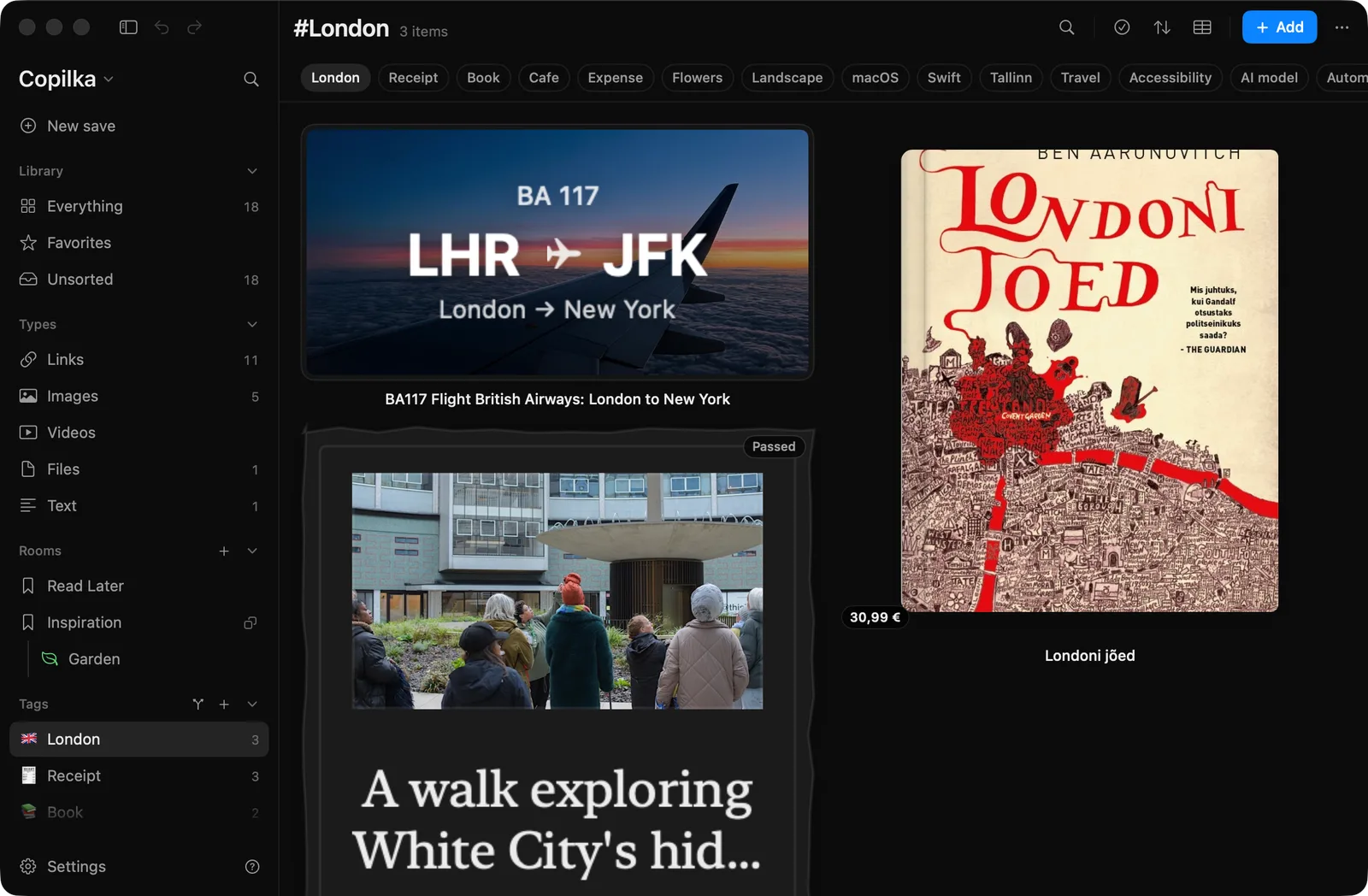
Section titled “Filtering by tag”Click a tag in the sidebar, or one of the chips above the board, which show your fourteen most-used tags. The board shows everything carrying that tag, from every room, with the title #London. One tag at a time: there is no filter that combines two tags in the app. An assistant can search with several, see Tools reference.
Settings → Appearance → Show tags in the sidebar hides the Tags block if you would rather use the chips.
On the iPhone
Section titled “On the iPhone”Tags are pills on the Home screen, with their emoji; a parent opens into a shelf of its children. See Copilka on iPhone.