
Compare
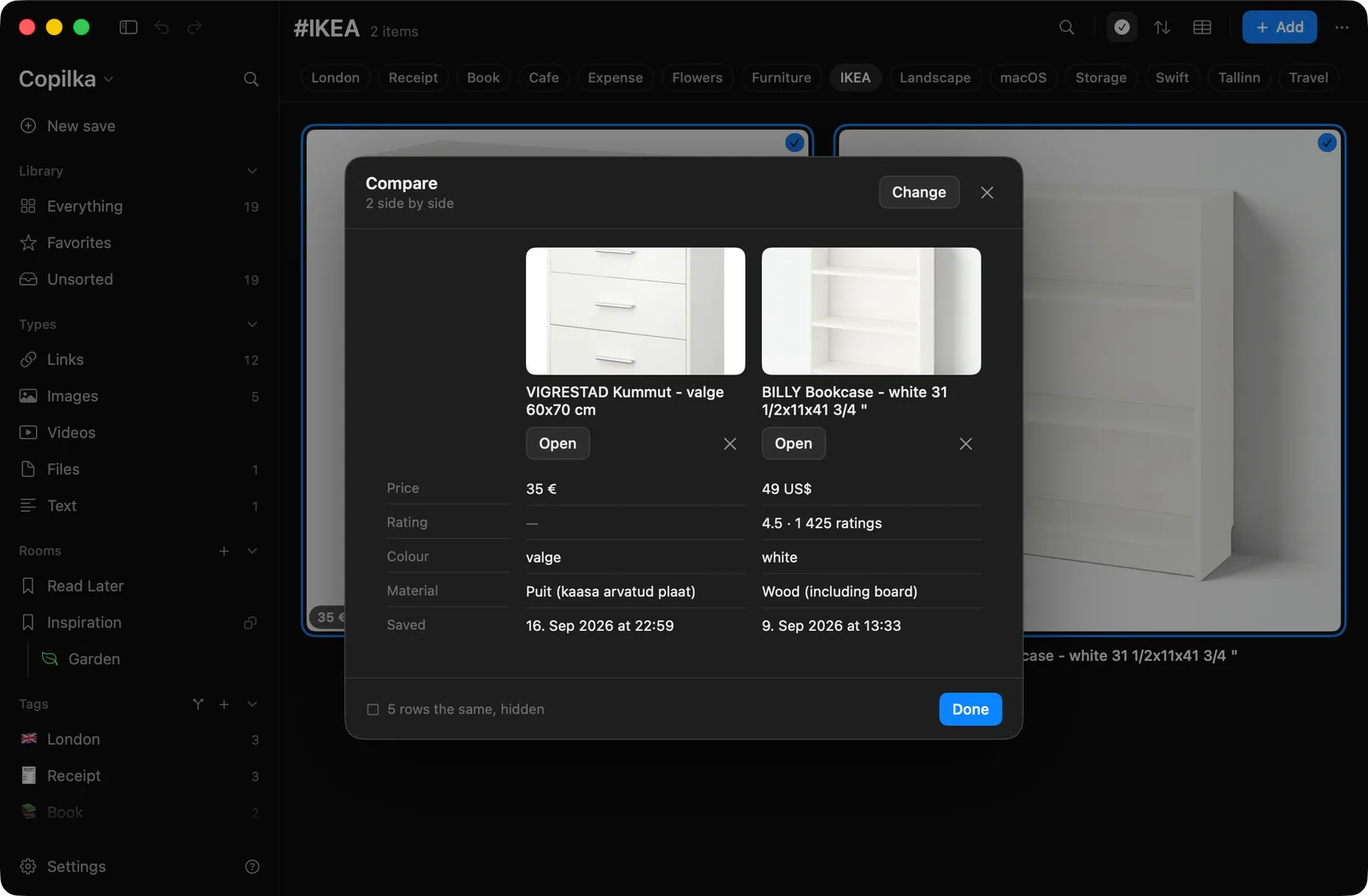
Compare holds two or more things up against each other: two chairs, three flats, four laptops. Their facts line up in rows, rows where every value is the same are hidden, and the best value in each row is marked.
Starting
Section titled “Starting”- From the top bar, the table icon, whose tooltip says Hold two or more things up against each other. With two or more cards already selected it goes straight to the table; otherwise it opens a picker.
- From the selection bar, Compare, once two or more are selected.
The picker is titled Compare: Pick two or more things to hold up against each other. Its search looks in the current view first, then, once you type, the whole library. The footer counts, 3 picked, and Compare opens the table. Twelve is the most: pick more and the table takes the first twelve, with a toast saying so.
Compare is on the Mac only.
The table
Section titled “The table”The header reads 3 side by side, with Change to go back to the picker. One column per item: its picture, its title, Open, and × to take it out.
The rows, in order, wherever at least one item has the fact: Price, Availability, Rating, Brand, Seller, Condition, Colour, Material, Author, Publisher, Published, Pages, ISBN, When, Where, Rooms, Floor area, Length, Ingredients, Developer, Platform, Version, Language, Stars, Downloads, Citations, Licence, Shop, Saved. Then the items’ own properties.
Only differences are shown. A row where every item has the same value is folded away; the footer says 6 rows the same, hidden, and clicking it shows everything. The best cell in a ranked row is highlighted: the lowest price and the earliest date, the highest of anything else. Prices are ranked only when they share a currency.
Done closes the table.