
Ways to save
There are many doors in, and they all lead to the same place: an item on the board, read by the reader, in the room you had open.
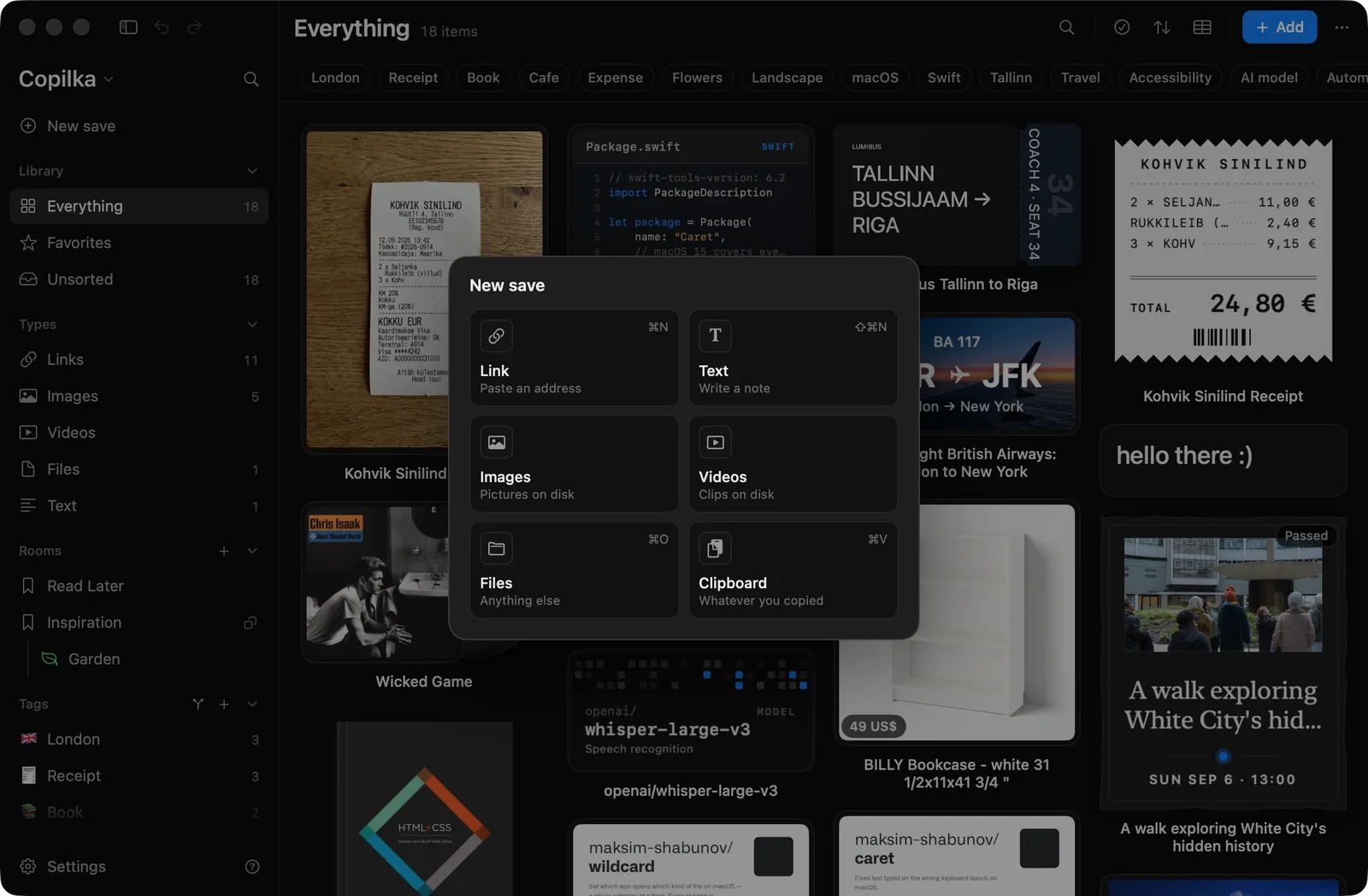
The chooser
Section titled “The chooser”The Add button in the top bar, the New save row at the top of the sidebar, and a right-click on empty board space all open the same six choices:
| Choice | Description | Shortcut |
|---|---|---|
| Link | Paste an address | ⌘N |
| Text | Write a note | ⇧⌘N |
| Images | Pictures on disk | |
| Videos | Clips on disk | |
| Files | Anything else | ⌘O |
| Clipboard | Whatever you copied | ⌘V |
Link and Text open a sheet; the other three open a file picker, filtered to images or videos where it says so, and Files takes folders as well. Clipboard saves what you copied at once.
The same commands are in the File menu as Save Link…, Write Text…, Add Images…, Add Videos… and Add Files….
The other doors
Section titled “The other doors”- Paste: ⌘V on the board, or Paste to Save in the Edit menu (⇧⌘V) from anywhere in the app. See Paste and drag and drop.
- Drag and drop onto the window, from Finder or a browser. See Paste and drag and drop.
- Quick capture: ⌥⌘K anywhere on the Mac, with or without Copilka open. See Quick capture.
- Your iPhone: the share sheet, the camera, the scanner, Photos. See Saving on iPhone.
- An assistant: Claude or another MCP client can save addresses into a room with tags. See Connect Claude.
There is no Services menu item, no share extension on the Mac and no URL scheme for saving; the Quick capture panel is the way in from other apps.
Where a save lands
Section titled “Where a save lands”A save goes into the room you are looking at. From Everything, a smart view or a tag, it goes to your default room, which is Unsorted until you choose one in Settings → General → Default room, or with Make Default for New Saves on a room. Saving while viewing a tag does not add that tag.
Quick capture has its own destination, Save captures into, which follows the default room unless you set it.
What you see
Section titled “What you see”A toast says Saved with the item’s name, or Saved 3 things. If Open details when saving is on in Settings → General, the panel opens on the new item.
Saving something twice always saves it again; the copy shares the first one’s reading, so nothing is fetched twice. Whether Copilka mentions it is a setting, When it is already saved: with Mention it, the toast adds Already in Read Later too. or 2 were already in Copilka.; with Say nothing, it doesn’t.
What happens next depends on what you saved: see Links, notes and files.